Ingresses
An ingress exposes a Component to the web via http/https. Pergola provides a unique URL for each ingress, which you can share with your users, or use from other (external) applications to reach your Component's web API, for example.
There are two places where ingresses can be defined:
- In the Project Manifest. This is the right place for the baseline exposure that ships with your application (
host,path,port). - Per Stage Configuration, as outlined here. This is the right place for environment-specific exposure that you don't want to bake into the Manifest, such as custom domains, access protection or IP allow-lists that differ between e.g. a DEV and a LIVE Stage.
This page covers the Stage/Configuration-level ingress settings.
As for any Configuration change, Ingress changes are persisted in the backend but do not become active instantly. To deploy them, issue a new Release.
Ingress entries
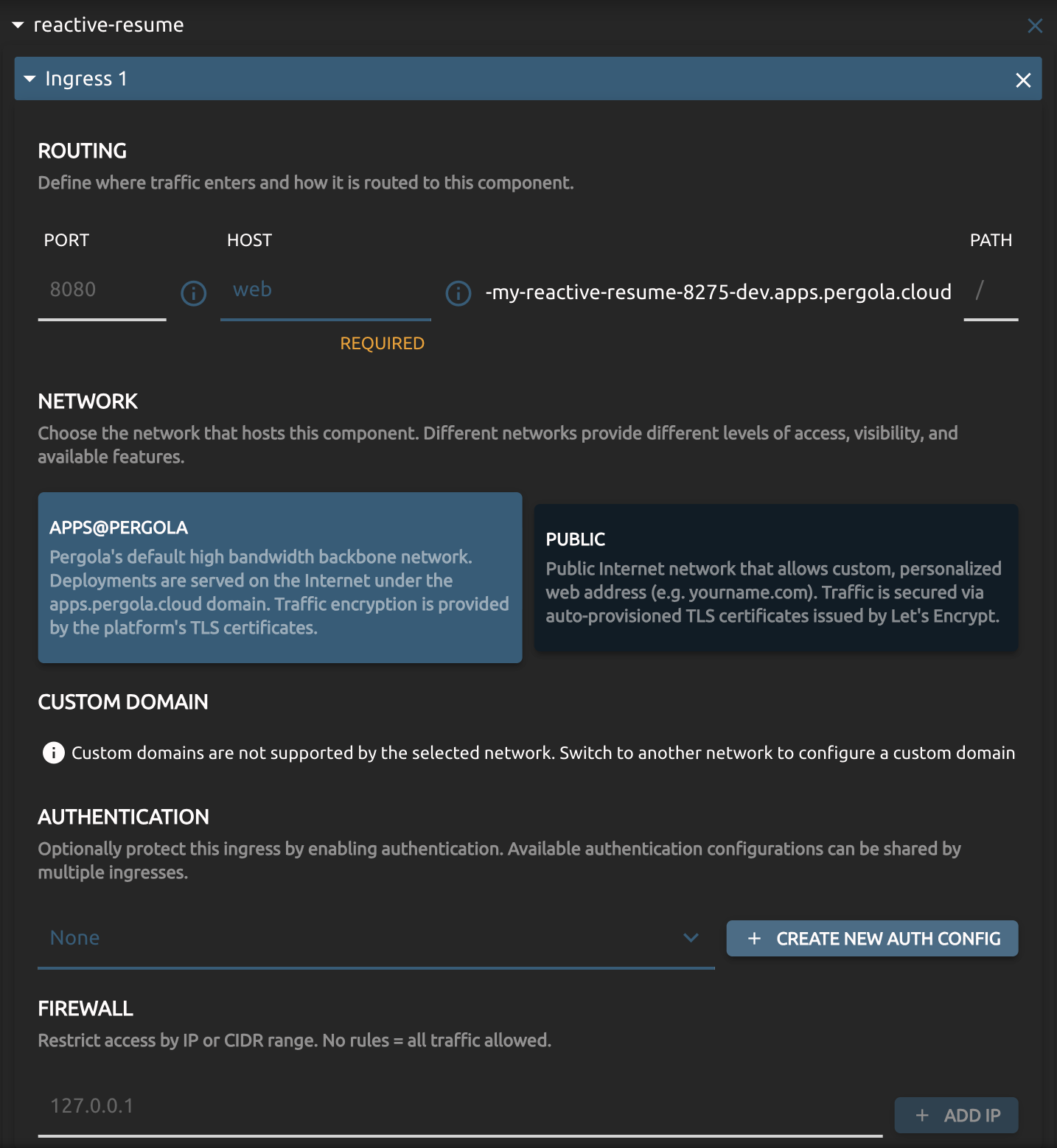
An ingress entry exposes a Component on a URL. A single Component can have multiple entries, so it can be reached under several hosts or paths. Each entry is configured in four sections:
Routing defines how traffic is routed to the Component.
- Choose the Port to route to (required only if the Component exposes more than one port) and a Host prefix.
- Pergola combines the Host with a network-defined domain into a final URL (e.g. host
webbecomes something likeweb-my-proj-dev.apps.pergola.cloud). - An optional Path prefix routes only matching requests. Defaults to
/.
Network selects where the ingress is hosted. Networks differ in access, visibility and available features. It also defines the domain-suffix if Host is specified. Refer to its description for details and select the network that is most suitable for your application.
While a 'public internet' network most probably exposes the app to the internet with auto-provisioned TLS certificates, and may even let you serve it under your own Custom Domain, such as app.yourcompany.com. A network called 'intranet', on the other hand, will most probably serve your app within your company network only.
Authentication allows access with valid (login) credentials only. The same authentication configuration can be shared by multiple Ingresses and Components.
Firewall restricts access to specific IPs or CIDR ranges. With no rules, all traffic is allowed.
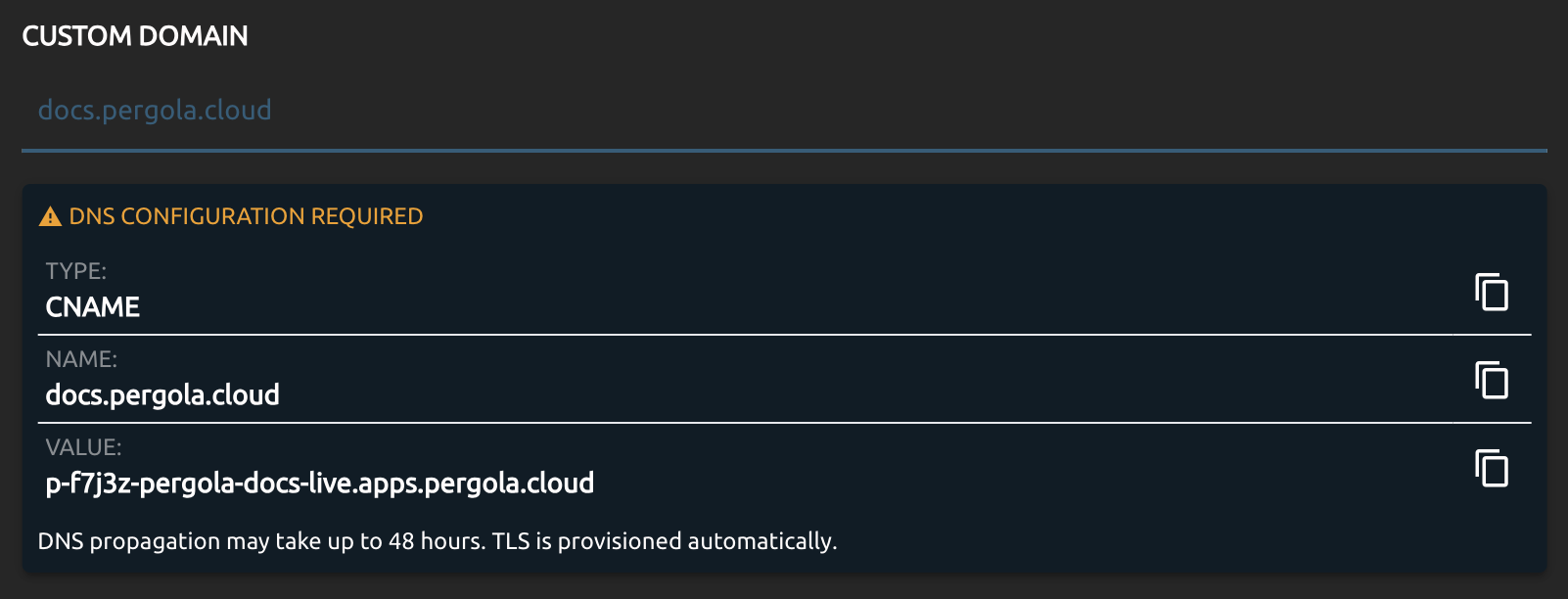
Using a Custom Domain for an ingress requires changes in your DNS configuration, typically provided by your domain's registrar. Make sure you add the required DNS records displayed by Pergola to your DNS configuration:
Protecting Ingresses with Authentication
You can add and enable authentication for each ingress individually. Authentication configurations are defined once and can be used by multiple ingresses.
Two types are supported:
- Basic Auth: HTTP basic authentication that supports user/password (or key/secret) credentials.
- OAuth/OIDC: Requires users to login with your prefered identity provider first before hitting your application. Supports any OIDC compatible provider, like GitHub, Google, Microsoft, etc.
Once saved, passwords and secrets are never displayed to the user, means cannot be retrieved later. As long as you are editing you can copy/view those credentials.
Before removing an authentication config, make sure no ingress entry still references it.
Basic Auth
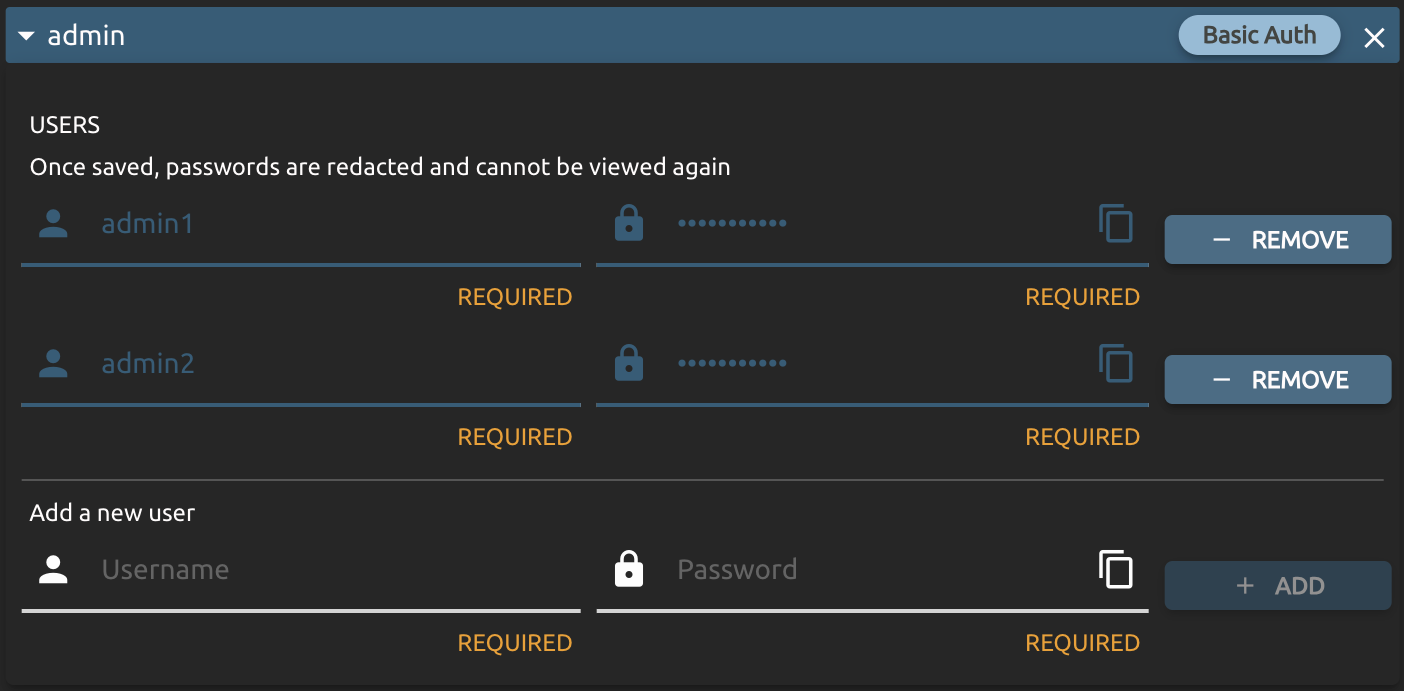
Basic Auth protects the ingress driven by a static list of users, each with a name and a password. Add a name/password pair per row, or remove existing ones. Once saved, passwords are redacted and cannot be viewed again.
OAuth/OIDC
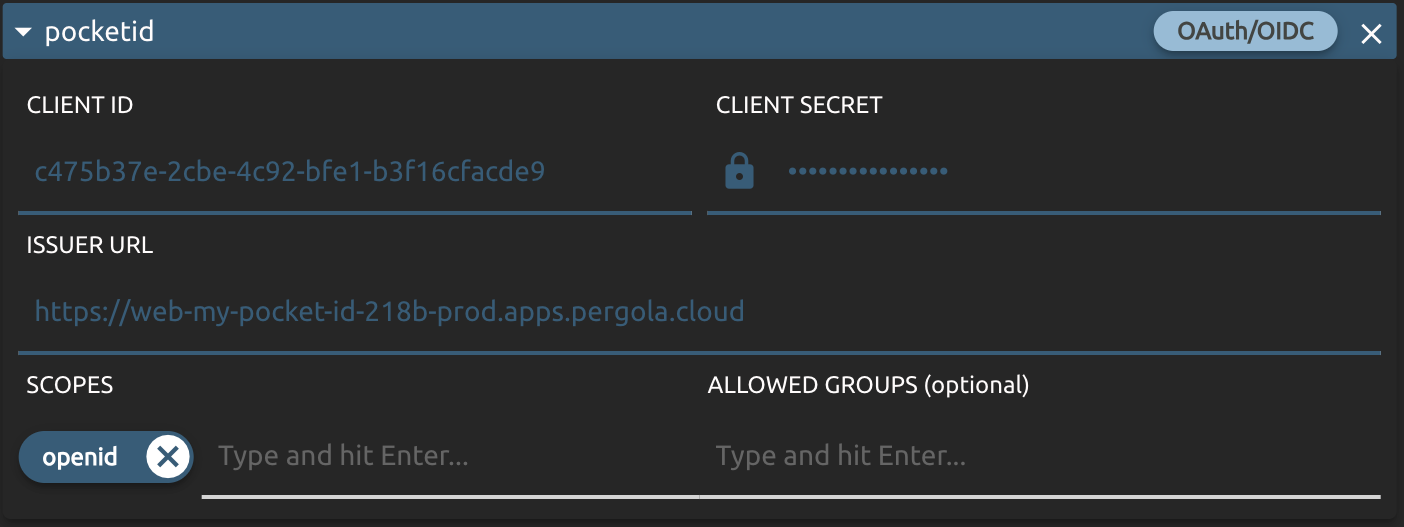
OAuth/OIDC requires a user to login first, delegating authentication to your configured identity provider (IdP). You provide:
- Client ID and Client Secret: the OAuth2 credentials provided by your IdP.
- Issuer URL: also provided by your IdP; typically ends with
/.well-known/openid-configuration, or at least serves this path. - Scopes: the requested OAuth2 scopes; defaults to
openid. For supported scopes and their meanings, please refer to your IdP's documentation. - Allowed Groups (optional): restrict access to specific groups; requires a
groupsclaim in the returned token. Please refer to your IdP's documentation forgroupssupport.
When you protect an ingress with this type of authentication, register the OAuth redirect URIs provided by Pergola at your IdP before sharing the link to your application:
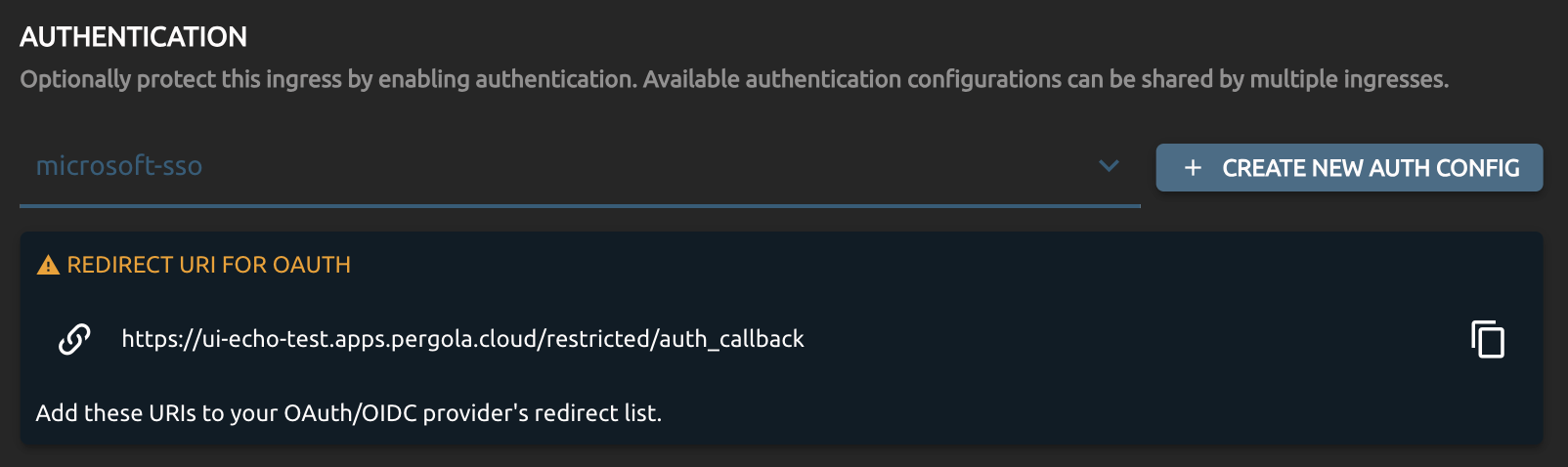
If you don't register the redirect URIs at your IdP, users will not be able to login into your application. The registration itself might also take some time to propagade. Please refer to your IdP's documentation for details.